
Last Updated on October 24, 2026
Between airport security checks, crowded train stations, unpredictable weather, and long sightseeing days, traveling can put your electronic devices through more than their usual daily routine. Your smartphone might double as your boarding pass, camera, navigation system, and digital wallet, while a laptop or tablet keeps you connected to work and entertainment.
According to IATA’s 2025 passenger survey, 83% of travelers carry a phone when flying, 60% bring a laptop, and 44% travel with a power bank. With so many electronic devices accompanying passengers, protecting them against accidental damage, loss, and everyday travel risks deserves as much attention as packing the right clothes or travel documents.
The good news is that protecting your electronics does not require carrying an entire collection of gadgets. A practical travel tech checklist focuses on a handful of well-chosen accessories, thoughtful packing habits, and digital precautions that help keep your devices working throughout your journey.
Here are eight travel tech essentials and protective measures worth considering before your next trip.
1. Protect Your Smartphone With a Case Designed for Your Device
Your smartphone is probably the electronic device you handle most frequently while traveling. You might pull it out repeatedly to check flight updates, scan boarding passes, navigate unfamiliar streets, or capture photographs, increasing the chances of accidental bumps, scratches, and drops.
A well-fitting protective case helps reduce exposure to everyday wear while making your phone more comfortable to handle. Look for a case designed specifically for your device’s dimensions, with accessible buttons, appropriate camera cutouts, and enough coverage for the way you use your phone.
Style can also matter, especially for travelers who prefer accessories that complement their outfits and everyday essentials. Choosing a protective case does not necessarily mean sacrificing a distinctive or fashionable design.
For travelers preparing to use Apple’s foldable iPhone Duo, BURGA offers a collection of stylish iPhone Duo cases featuring original, in-house designs and model-specific construction intended for everyday device protection. The collection provides an option for people who want their smartphone accessories to reflect their personal style while traveling.
Before purchasing any case, confirm that it fits your exact phone model rather than relying on similarities between devices. This is particularly important for foldable smartphones, whose dimensions and construction differ from conventional models.
Travel tip: Put your case on before leaving home, and consider keeping your phone in a secure, easy-to-reach pocket rather than placing it loosely inside a crowded backpack.
2. Add a Screen Protector Suitable for Your Device
A protective case is an important starting point, but exposed screens can still come into contact with keys, coins, sand, or other objects inside a travel bag.
A compatible screen protector can provide an additional layer against everyday surface scratches. Tempered glass is a common choice for many conventional smartphones, while flexible films may be suitable for certain displays, depending on the manufacturer’s recommendations.
Compatibility matters even more with foldable devices. Their inner and outer displays can have different protection requirements, and not every conventional screen protector is suitable for a flexible display.
 Before applying anything to a foldable screen, consult the device manufacturer’s instructions. Avoid removing factory-installed protective layers or applying third-party films to a folding display unless the manufacturer confirms that doing so is appropriate.
For photographers and content creators, keeping the screen clean is also useful when reviewing images outdoors or editing photos during a trip. Pack a microfiber cloth to remove fingerprints and smudges without using abrasive materials.
Travel tip: Check your screen protector before departure. If it is cracked, peeling, or damaged, replace it with a compatible option rather than relying on compromised protection.
3. Pack Reliable Charging Cables and Travel Adapters
Running out of battery during a journey can quickly become inconvenient, particularly when your phone holds important travel documents, hotel reservations, navigation apps, and payment information.
One of the simplest travel tech essentials is a compact charging setup containing the cables and adapters your devices actually require.
Start by checking the charging ports on your smartphone, laptop, camera, and other electronics. USB-C is common across newer devices, but some accessories still rely on different connectors, making it worthwhile to verify compatibility before departure.
For international trips, research the outlet types used in your destination and pack an appropriate plug adapter. Remember that a plug adapter changes the physical connection, not the electrical voltage. Check whether your power supply supports the local voltage before using it.
A multi-port USB charger can also reduce the number of separate adapters you need, provided it supplies enough power for your devices.
Consider packing one backup cable for the device you depend on most. A damaged charging cable is much easier to deal with when you have a spare available.
Travel tip: Test your chargers, adapters, and cables together before leaving. Compatibility problems are better discovered at home than in an airport lounge.
4. Carry a Portable Power Bank for Charging Away From Outlets
Whether you are exploring a city, hiking between destinations, or traveling on a long-haul flight, convenient electrical outlets are not always available.
A portable power bank helps keep your smartphone and other compatible devices charged when you cannot easily connect to a wall outlet.
When choosing one, consider your expected daily battery needs, the devices you intend to charge, and the weight you are comfortable carrying. A compact model may be sufficient for occasional smartphone top-ups, while travelers carrying multiple electronics might need additional capacity.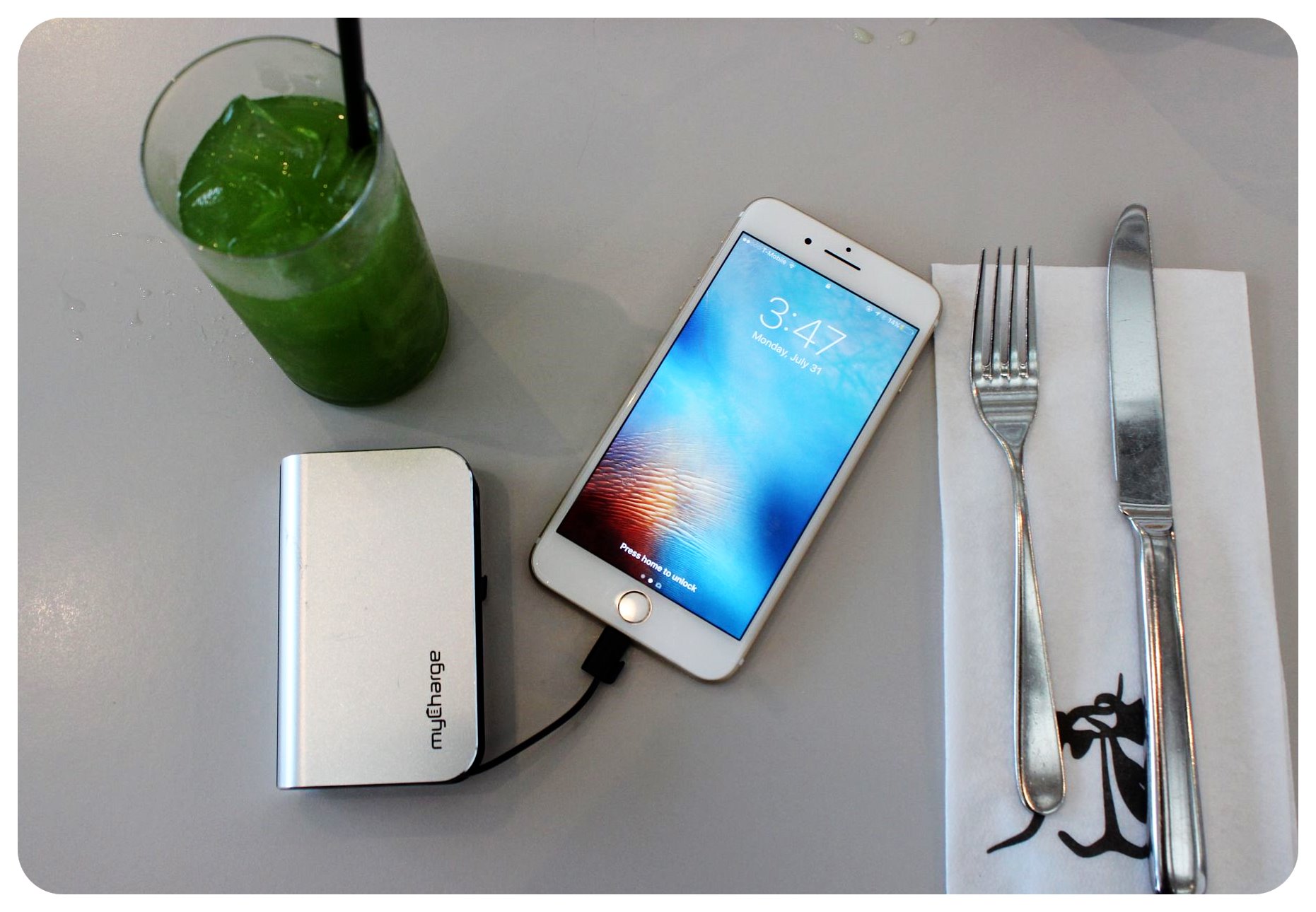
However, power banks also require special attention when flying because they contain lithium batteries.
Under the Federal Aviation Administration’s passenger battery guidance, spare lithium batteries, including power banks, must travel in carry-on baggage rather than checked luggage. Most lithium-ion batteries rated up to 100 watt-hours are permitted, while larger batteries may require airline approval or be prohibited.
Airlines and international authorities can impose additional restrictions, so always check the applicable rules before departure.
Protect your power bank from physical damage and keep it away from loose metal objects that could contact its terminals. If your carry-on bag is unexpectedly checked at the gate, remove the power bank and keep it with you in the cabin.
Travel tip: Charge your power bank before departure and check its watt-hour rating before packing it for a flight.
5. Use Protective Laptop Sleeves and Tech Organizers
Laptops and tablets are especially useful for remote workers, digital nomads, and travelers who need to stay productive away from home.
Unfortunately, they are also vulnerable to pressure, scratches, and impacts when packed alongside other belongings.
A padded laptop sleeve adds a protective barrier between the device and the contents of your bag. Look for a sleeve that fits securely without putting unnecessary pressure on the corners or display.
Travelers carrying a camera, tablet, or portable keyboard may also benefit from separate padded compartments designed to prevent devices from shifting during transit.
A compact tech organizer is equally useful for smaller accessories. Instead of leaving cables, memory cards, charging adapters, and earbuds scattered throughout your luggage, store them in designated pockets where they are less likely to become tangled or damaged.
This arrangement also makes it easier to identify missing accessories before checking out of a hotel.
When packing, avoid placing heavy objects directly against a laptop screen and keep liquids in a separate, securely closed compartment.
Travel tip: Place frequently used accessories in an organizer near the top of your carry-on bag so you can retrieve them without unpacking everything.
6. Keep Electronics Away From Moisture With Protective Pouches
Rain, spilled drinks, poolside splashes, and unexpected weather changes can all create problems for electronic devices during travel.
Even if a smartphone has a water-resistance rating, that does not mean every part of your travel setup can safely handle moisture. Charging ports, laptops, cameras, headphones, and other electronics may have very different levels of protection. A water-resistant pouch or protective dry bag can provide an additional barrier when you are traveling in wet conditions.
These accessories are particularly useful for beach trips, boat excursions, outdoor festivals, and hikes where sudden rain is possible.
Choose a pouch appropriate for the conditions you expect. A water-resistant sleeve intended for light rain is not necessarily suitable for submersion, so check the manufacturer’s specifications rather than assuming all protective bags offer the same coverage.
For cameras and laptops, consider using a protective case inside your backpack, even if the backpack itself is marketed as water-resistant.
It is also worth keeping reusable waterproof bags available for unexpected situations, such as protecting smaller accessories from a leaking toiletry bottle.
Travel tip: If a device becomes wet, follow the manufacturer’s drying instructions before attempting to charge it. Avoid connecting a charging cable while moisture may still be present in the port.
7. Set Up Device Tracking and Loss-Prevention Tools
Accidental damage is only one concern when traveling with valuable electronics. Losing a phone in a taxi, leaving a laptop at a café, or misplacing luggage during transit can create an entirely different kind of problem.
Device tracking and loss-prevention tools help travelers prepare for these situations.
Before departing, enable the built-in device-finding features available on your smartphone, laptop, or tablet. These services can help you locate supported devices, mark them as lost, or take other protective actions, depending on the platform and device settings.
Small Bluetooth tracking tags can also be useful for luggage, backpacks, camera bags, and other belongings that do not have their own location-tracking capabilities.
Keep in mind that Bluetooth trackers generally depend on compatible nearby devices or networks rather than providing continuous GPS positioning everywhere.
If you plan to place a tracker inside checked luggage, confirm that its battery and design meet your airline’s rules.
Physical habits remain just as important. Use secure compartments, avoid leaving expensive equipment unattended, and keep your most essential electronics close during crowded journeys.
You should also save your device serial numbers and purchase records somewhere accessible independently of the devices themselves.
Travel tip: Test your device-finding settings before your trip. Make sure you understand how to access your account if the phone you usually use for verification is lost.
8. Protect Your Data With Secure Connections, Backups, and Account Security
Physical protection is only one part of keeping electronics safe while traveling. Smartphones and laptops may also contain travel documents, personal photographs, payment information, work accounts, and other sensitive data.
Before leaving home, update your operating system and important applications, enable strong device passcodes, and activate multifactor authentication on essential accounts.
Create a recent backup of your photos and important files. Depending on your preferences, this might involve an encrypted cloud backup, a secure external drive, or a combination of both.
Travelers working remotely should also follow their employer’s device-security and remote-access policies.
Pay attention to network security when connecting from airports, hotels, and public spaces. According to the Federal Trade Commission’s guidance on public Wi-Fi, encrypted websites using HTTPS generally help protect information transmitted over public networks, but travelers should still avoid suspicious websites and keep their devices updated.
For particularly sensitive activities, a trusted mobile connection or an appropriately configured VPN may provide additional reassurance, depending on the circumstances.
Consider downloading essential reservations, directions, and travel documents for offline access. This ensures that a temporary connection problem does not prevent you from finding your accommodation or accessing important information.
Finally, prepare an account-recovery plan so you can regain access to essential services if your primary device is lost or stolen.
Travel tip: Complete your backups and security updates before departure, ideally while connected to a familiar, reliable network.
How to Pack Your Travel Tech for Easy Access
Choosing the right protective accessories is only half the process. Organizing them carefully can make airport transfers, sightseeing, and hotel stays considerably easier.
Different parts of your journey call for different packing arrangements.
| Travel situation | What to keep accessible | Why it matters |
| Airport and flight | Phone, laptop, camera, charging cables, power bank | Essential devices remain available during transit, and spare lithium batteries stay in carry-on luggage |
| Sightseeing and day trips | Protected smartphone, compact power bank, short cable, water-resistant pouch | Keeps everyday essentials accessible without carrying unnecessary electronics |
| Hotel or temporary workspace | Laptop sleeve, chargers, travel adapter, tech organizer | Helps create an organized charging and working area |
| Outdoor activities | Protective case, compatible screen protection, moisture-resistant storage | Reduces exposure to scratches, bumps, and changing weather conditions |
Avoid carrying every accessory everywhere. A compact daily setup can be more practical than a heavy bag filled with equipment you rarely use.
For example, a city sightseeing day might require only your phone, a short charging cable, and a small power bank, while a remote-working trip may justify bringing a laptop, additional charging equipment, and a dedicated tech organizer.
The aim is to strike a balance between convenience and protection.
Your Final Travel Tech Checklist Before Departure
Use this last-minute checklist to make sure your essential devices are ready for the journey.
- Fit your smartphone with a protective, model-compatible case.
- Check that your screen protectors are suitable and undamaged.
- Pack the correct charging cables, power supplies, and travel adapters.
- Charge your power bank and confirm airline battery restrictions.
- Place laptops, cameras, and smaller accessories in protective compartments.
- Pack moisture-resistant storage for wet conditions or outdoor activities.
- Enable device tracking and save important recovery information.
- Update your devices, back up important files, and secure your accounts.
Completing these checks before leaving home can help prevent the small technical problems that become much more inconvenient when you are away.
Travel With Confidence and Keep Your Devices Protected
Travel technology should make exploring new places easier, not create additional worries about damaged devices, missing equipment, or inaccessible information.
A thoughtful travel tech checklist combines physical protection, dependable charging accessories, organized storage, and practical digital security habits. Together, these measures help reduce common travel-related risks while keeping your essential electronics accessible throughout the journey.
Whether you are preparing for a weekend city break, an international vacation, or several months of remote work, choosing accessories that suit your devices and travel habits is a practical first step toward a more comfortable trip.